AuraMouse

Your mouse, supercharged.

Version 1.0.0 · Free to use

Everything your mouse is missing.

AuraMouse fills the gap between a basic mouse and the polished macOS trackpad experience.

Smooth Scrolling

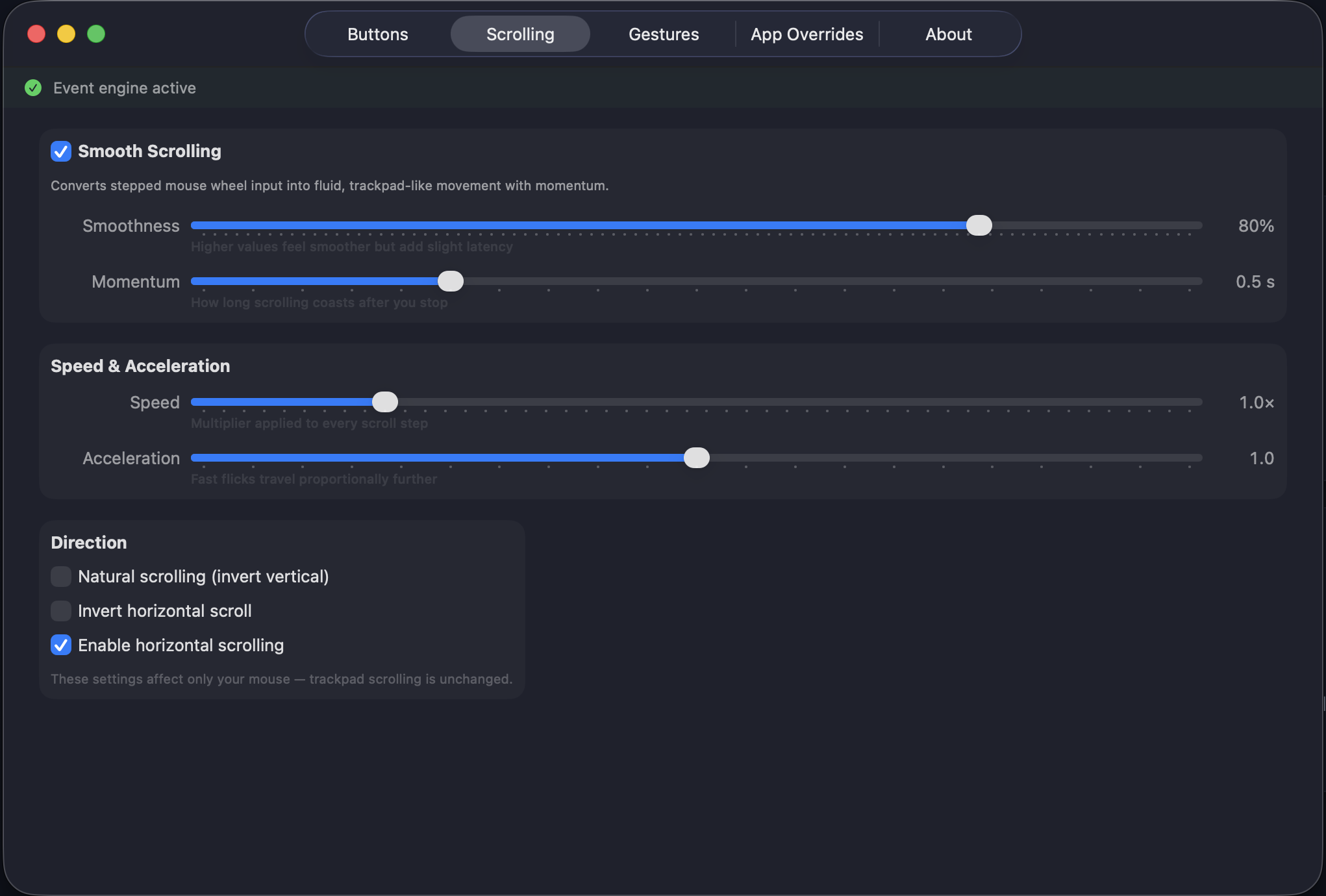
Transform your scroll wheel into a buttery-smooth trackpad experience with momentum.

Button Remapping

Map extra mouse buttons to Mission Control, App Exposé, Spaces, and more.

Gesture Simulation

Click and drag to trigger macOS gestures — switch spaces, show desktop, launch apps.

Per-App Overrides

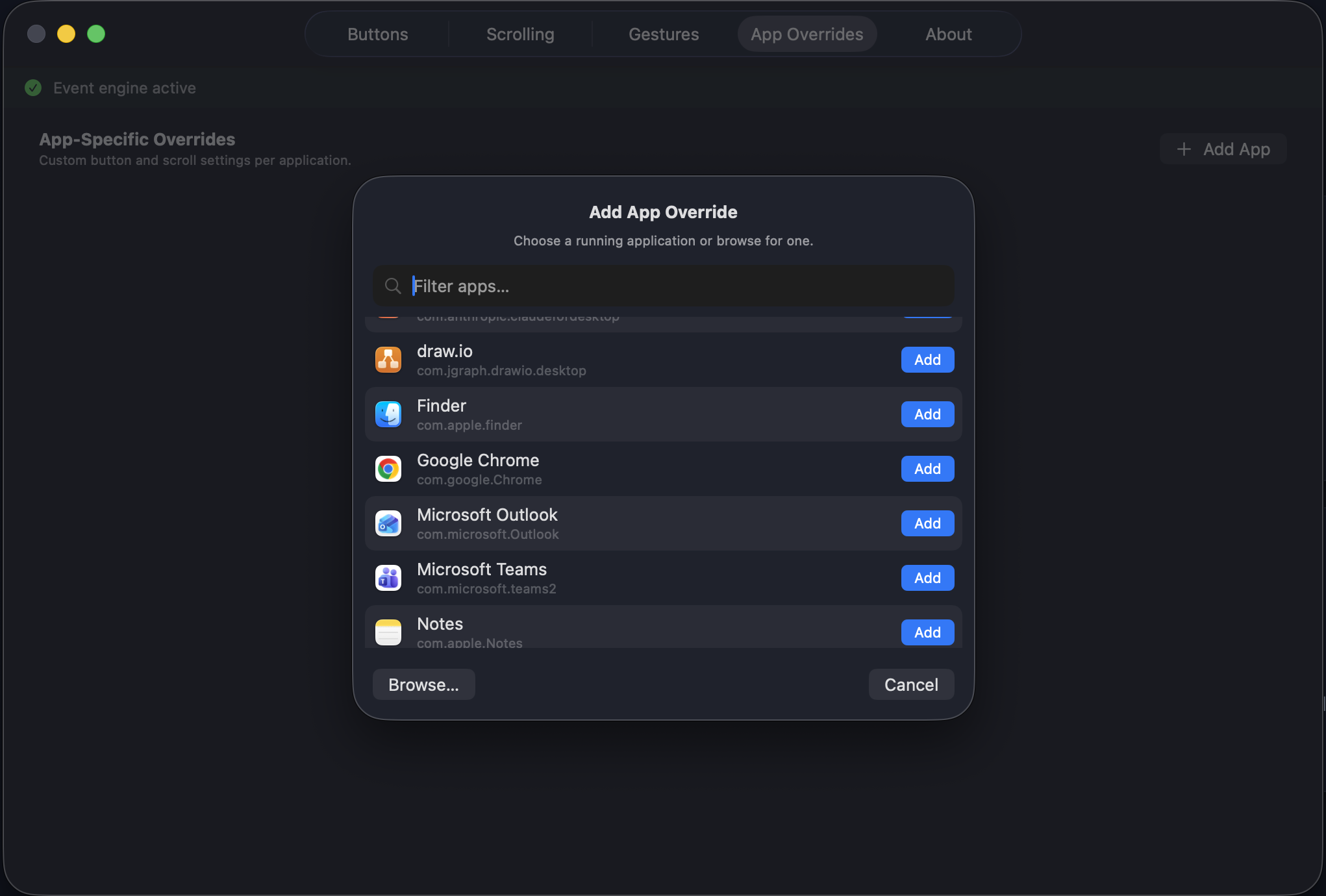
Different settings for different apps — customize behavior based on what you’re using.

See it in action.

A clean, native interface that feels right at home on macOS.
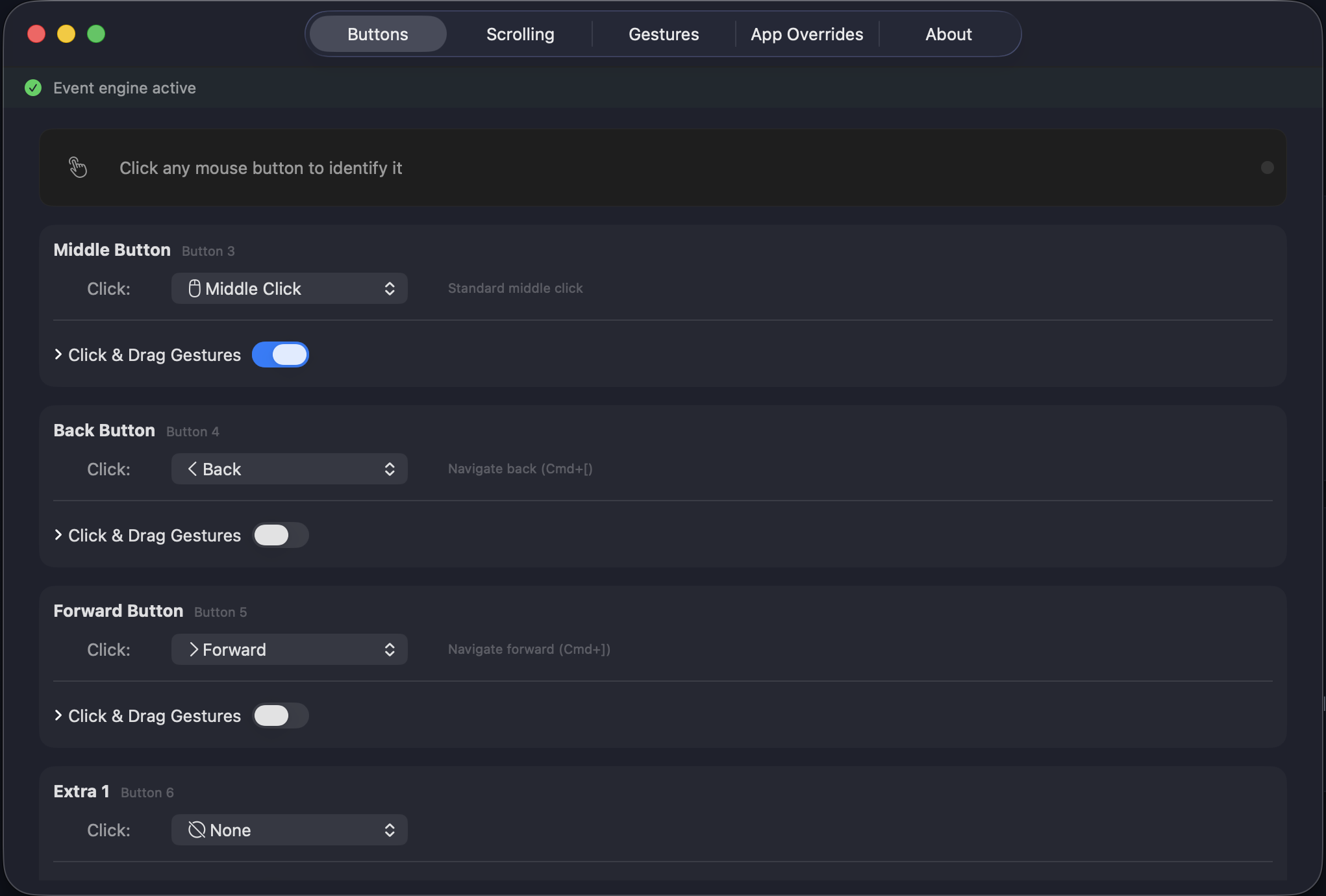
AuraMouse button remapping interface AuraMouse smooth scrolling settings AuraMouse per-app override configuration

Remap every button with a click. Enable drag gestures for Mission Control, Spaces, and more.

Fine-tune smooth scrolling with adjustable speed, momentum, and independent direction control.

Create custom configurations for individual apps. Pick from running apps or browse your Applications folder.

Up and running in seconds.

No kernel extensions, no complex setup. Just a simple app.

1

Download & Install

Drag AuraMouse to your Applications folder. That’s it.

2

Grant Accessibility Permission

macOS will ask for permission so AuraMouse can enhance your mouse input.

3

Configure Your Mouse

Open AuraMouse from the menu bar and dial in your perfect setup.

Invisible by design.

AuraMouse stays out of the way. You’ll forget it’s running.

<3MB App size
<0.5% CPU usage
<15MB RAM footprint

Ready to upgrade your mouse?

Download AuraMouse

Free · Lightweight · macOS 13+